Holden Captiva 2008-2013 - Premium Head Unit Upgrade Kit: Radio Infotainment System with Wired & Wireless Apple CarPlay and Android Auto Compatibility

- Wireless CarPlay & Android Auto: Seamless smartphone pairing
- Complete Kit: Screen, Fascia Kit, Plug & Play-Harness
- Built-in GPS: Works everywhere - online and offline navigation
- Voice Control: Siri & Google Voice supported
- Play Store apps: Netflix, YouTube, Spotify & more*
- Premium Audio: Hi-Res sound with custom equalizer
- Plug & Play Design: Engineered for direct fitment with factory harness
- 3-Year Warranty: Comprehensive protection included
- 30-Day Returns: Hassle-free return policy
- Live Support 7 Days: Expert help 10am-6pm, even on holidays
Start by confirming the factory setup so everything fits perfectly. Required
Choose the core hardware that drives your head unit experience. Required
Screen Size
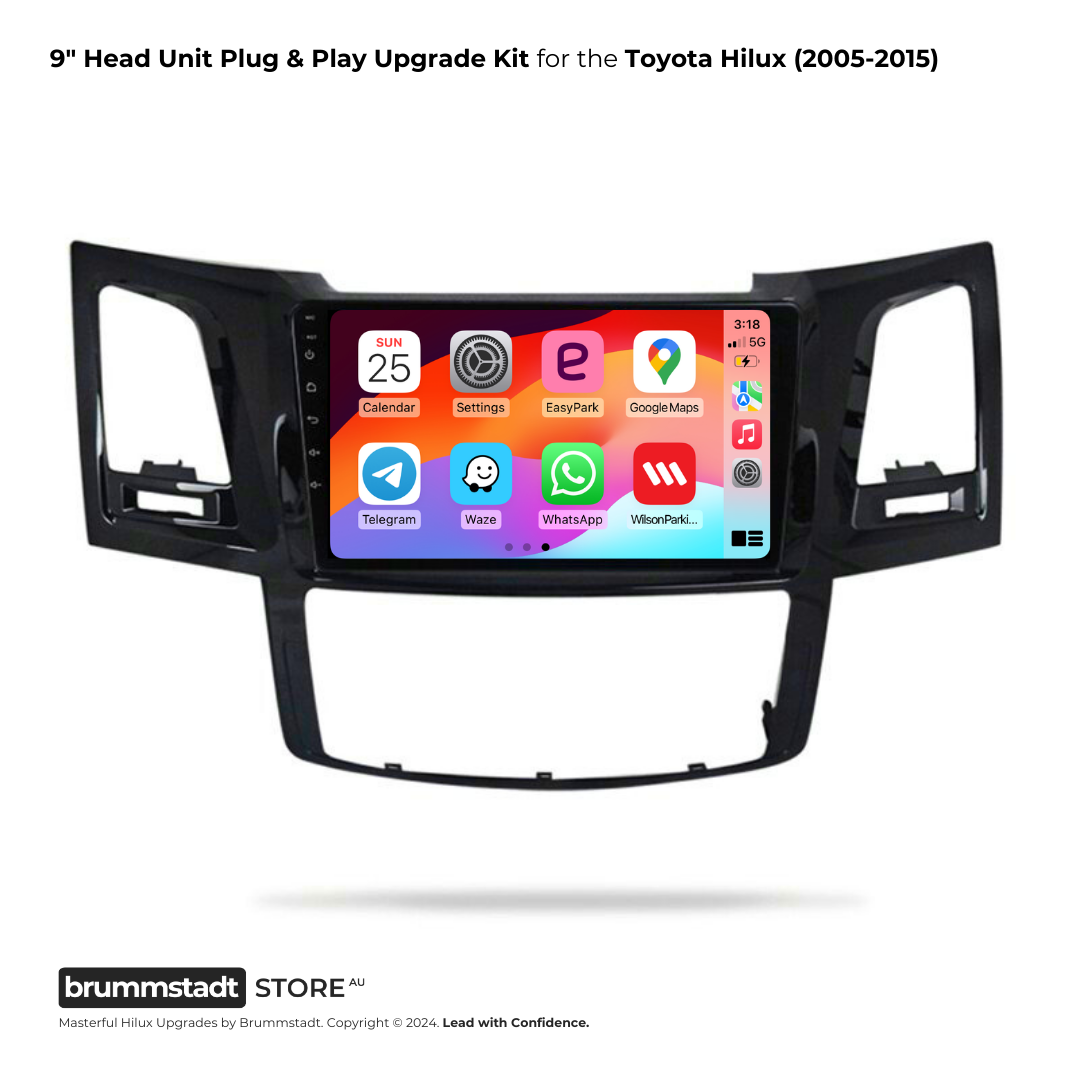
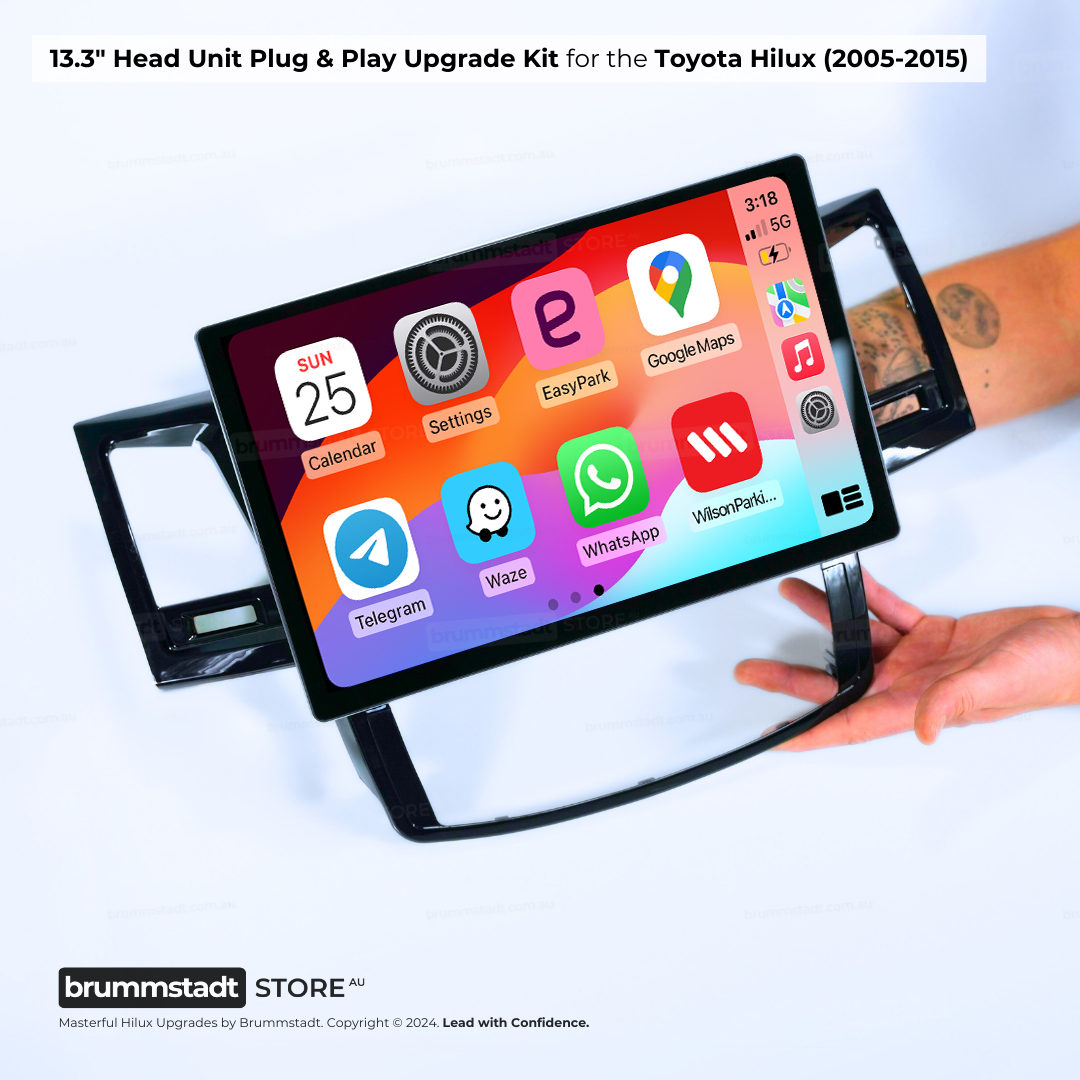
RAM / SSD-Storage
Add safety upgrades for clearer visibility and extra awareness.
Camera Options
Tyre Pressure Monitoring Sensors (TPMS)
See live tyre pressure and temperature on your compatible Android head unit.
Sensor Count
Sensor Type
- 8 external valve-cap sensors • Trailer/camper coverage • Not for trucks
Eight external sensors screw onto the valve stems for tow vehicle and trailer, camper or caravan monitoring. Not for trucks.

- 8 internal tyre sensors • Trailer/camper coverage • Tyre shop fitting required • Not for trucks
8 internal tyre sensors • Trailer/camper coverage • Tyre shop fitting required • Not for trucks

Layer on convenience features that make daily driving easier.
Let us know how you’d like the system installed.
Share any extra details so we can prepare your order properly.
Order now and expect your order to arrive between Thu 29th Oct and Tue 10th Nov. Regional delivery? No problem – might just need an extra day or two.
Technical Specifications
Every version has the features listed first. The versions differ only in memory, storage and the points compared below.
Specifications shown apply to the current production batch and selected hardware tier. If you need a specific Android API level for a particular app, contact us before ordering and we will check the current build before dispatch.
In every version
- Wired and wireless Apple CarPlay
- Wired and wireless Android Auto
- Steering wheel controls
- Reverse camera input (1080p cameras supported)
- Bluetooth hands-free calling
- Screen mirroring for Android and iPhone
- HD touchscreen with adaptive brightness
- Custom equaliser
- Dual USB leads (front and glovebox or centre console)
- Video output
- Built-in cooling fan
- Over-the-air software updates
- Software: Latest stable Android-based vehicle firmware
What differs between the versions
| Feature | Entry 2GB / 32GB Basic functionality | Most popular Standard 4GB / 64GB Best value | Advanced 8GB / 128GB Enhanced performance | Flagship 8GB / 256GB Most storage |
|---|---|---|---|---|
| Screen | 9" IPS · 1280×720 | 9" IPS · 1920×1280 or 13.3" QLED · 2K | 9" IPS · 1920×1280 or 13.3" QLED · 2K | 9" IPS · 1920×1280 or 13.3" in-cell QLED · 2K |
| Mobile data | Not included | 4G SIM slot | 4G SIM slot | 4G SIM slot |
| Wi-Fi | Wi-Fi 2.4 GHz, hotspot | Wi-Fi 6 (2.4 and 5 GHz), hotspot | Wi-Fi 6 (2.4 and 5 GHz), hotspot | Wi-Fi 6 (2.4 and 5 GHz), hotspot |
| Cameras | Rear camera | Front and rear camera | Front and rear camera | Front and rear camera |
| 4K dash cam recording | Not included | Yes | Yes | Yes |
| Split screen | Not included | Yes | Yes | Yes |
| RCA outputs for an amplifier | Not included | Yes | Yes | Yes |
| Audio | Standard EQ with built-in amplifier | Upgraded DSP presets with stronger bass | Extended DSP headroom for multi-amplifier builds | Dual DSP with the strongest bass control |
- Screen
- 9" IPS · 1280×720
- Mobile data
- Not included
- Wi-Fi
- Wi-Fi 2.4 GHz, hotspot
- Cameras
- Rear camera
- 4K dash cam recording
- Not included
- Split screen
- Not included
- RCA outputs for an amplifier
- Not included
- Audio
- Standard EQ with built-in amplifier
- Screen
- 9" IPS · 1920×1280 or 13.3" QLED · 2K
- Mobile data
- 4G SIM slot
- Wi-Fi
- Wi-Fi 6 (2.4 and 5 GHz), hotspot
- Cameras
- Front and rear camera
- 4K dash cam recording
- Yes
- Split screen
- Yes
- RCA outputs for an amplifier
- Yes
- Audio
- Upgraded DSP presets with stronger bass
- Screen
- 9" IPS · 1920×1280 or 13.3" QLED · 2K
- Mobile data
- 4G SIM slot
- Wi-Fi
- Wi-Fi 6 (2.4 and 5 GHz), hotspot
- Cameras
- Front and rear camera
- 4K dash cam recording
- Yes
- Split screen
- Yes
- RCA outputs for an amplifier
- Yes
- Audio
- Extended DSP headroom for multi-amplifier builds
- Screen
- 9" IPS · 1920×1280 or 13.3" in-cell QLED · 2K
- Mobile data
- 4G SIM slot
- Wi-Fi
- Wi-Fi 6 (2.4 and 5 GHz), hotspot
- Cameras
- Front and rear camera
- 4K dash cam recording
- Yes
- Split screen
- Yes
- RCA outputs for an amplifier
- Yes
- Audio
- Dual DSP with the strongest bass control
Which version suits you?
- Entry (2GB / 32GB) CarPlay or Android Auto with maps and music, one app at a time.
- Standard (4GB / 64GB) Navigation, streaming and a dash cam running at the same time, with 4G data. Most popular
- Advanced (8GB / 128GB) Several apps at once, offline maps and multiple camera feeds.
- Flagship (8GB / 256GB) The most storage for offline maps and large media libraries.
Frequently Asked Questions
The questions customers ask us most, answered first
MOST ASKED
We process your order on the next business day. Dispatch can take up to 10 business days, and it is usually quicker. Head units over AUD 200 ship free, and FedEx or DHL can be chosen at checkout from about AUD 39. All the details are in our shipping policy.
Each kit is made for the vehicles and years in its title. If you are not sure your car matches, upload a photo of your dashboard with your order, or send it to us before you buy through the contact page. Orders with dash photos are double-checked before the unit leaves the warehouse.
Our units power the reverse camera at 12V. A 12V factory camera keeps working once you choose the right camera format in the settings (usually DSV). Some factory cameras, for example in a number of Toyota, Mazda and Subaru models, run on 6V, and 12V can damage them, so please check before you plug one in. A 12V to 6V converter can make a 6V camera work, but the picture is usually poor on the new screen.
The simplest route is our 1080p reverse camera: it is made for these units and the picture is much sharper than most factory cameras. Not sure which camera your car has? Ask us through the contact page before you connect it.
Try these proven solutions:
1. Quick Fix: Settings → Apps → Z-Link → Disable → Enable → Open (repeat each use)
2. Check Cables: Use the data/charge USB cable (not charge-only)
3. Bluetooth Setting: Disconnect all other Bluetooth connections - CarPlay needs exclusive access
4. Factory Reset Z-Link: Find the pink 'RESET' app, restart, reconnect Bluetooth, then try Z-Link
5. Sound Issues: Switch audio source to 'AUX' or 'USB/AUX' in your vehicle menu
Most issues are resolved with step 1 or 3!
Yes, there are standard ways to run the sound in a car with a factory amplified system such as Bose, JBL or Harman Kardon. The most affordable is to wire the speakers straight to the head unit, which then powers them itself. For the fullest sound, add an aftermarket amplifier fed from the head unit's RCA outputs, which are on the 4GB/64GB version and higher. On some cars the factory amplifier can also be kept working with the new unit. Whoever does the wiring should first check that your speakers suit the head unit. Tell us your car and whether you are after CarPlay on a budget or the best sound, and we will point you to the right route and version.
Yes. Every box has a connection card, and our installation and help guide covers cameras, audio and antennas, wiring, connectivity and settings. The plugs are keyed, so each one only fits its own socket. If anything does not line up, send us a photo through the contact page and we will tell you the next step.
Yes! Most vehicles work instantly. If not, use the steering wheel learning app: tap the steering wheel icon, press each button on your wheel, and assign functions. For newer vehicles with CANbus, we provide CANbus modules for automatic setup. Some vehicles may need the Key1/Key2 wires connected (usually included in our harness). If you're having trouble, let us know your exact vehicle model and we'll provide specific instructions.
Where a kit offers the 13.3 inch screen, it sits out from the dash instead of flush like the 9 inch, and in some cars it covers part of the air conditioning controls, the hazard switch or an air vent. If you are considering the 13.3 inch, send us a clear photo of your dashboard through the contact page before you order, and we will confirm which screen size suits your car.
Yes. These head units run Android and are not limited to the apps preloaded at the factory. You can download and install compatible third-party Android apps from Google Play, including YouTube, Spotify, Waze, Google Maps, Netflix, Torque, DAB-Z and more.* For any third-party app, follow the app developer's installation and setup guide. Some apps require a specific Google account region, an active subscription, a supported app version, stable internet during first setup, location/microphone/storage permissions, Android System WebView, Play Protect or device certification, DRM approval, or other app-specific requirements. Accessory apps such as OBD2 scanners or digital radio apps also require matching compatible hardware, app settings and permissions. If one specific app will not install, update or stay open, contact us and we will help isolate whether it is a Play Store, permission, compatibility, internet, firmware or accessory setup issue.
CHOOSING A VERSION
Every version runs the same wired and wireless CarPlay and Android Auto and the same core features. The 2/32GB entry version has the standard EQ path, Wi-Fi 2.4 GHz and one rear camera. The 4/64GB adds 4G mobile data, Wi-Fi 6, the upgraded DSP for stronger bass, RCA outputs for an amplifier, front and rear cameras, 4K dash cam recording and split screen. The 8/128GB doubles memory and storage for running several apps at once and adds extended DSP headroom for multi-amplifier builds. The flagship 8/256GB has the most storage and dual DSP for the strongest bass control. Think of RAM like desk space: more RAM lets more apps stay open without slowing down.
Consider your usage:
• 2/32GB: Budget option with the basic EQ path, fine for CarPlay, navigation and one app at a time
• 4/64GB: The sweet spot, with 4G data, the upgraded DSP for stronger bass and RCA outputs
• 8/128GB: For heavy multitasking and long-term storage headroom
• Flagship 8/256GB: The most storage and dual DSP for the cleanest bass
Most customers choose 4/64GB for the best balance of performance and value.
INSTALLATION
Installation time varies based on your experience level. If you're comfortable with car audio installs, expect around 30–45 minutes. First-time installers who double-check every step usually take 1.5 to 2 hours.
Each plug is uniquely keyed (different shape, latch, or pin count), so you slide every harness into its matching socket, just like matching shapes in a kids' puzzle, and you can’t plug anything into the wrong spot. Take your time, work at a comfortable pace, and if you want a second opinion mid-way, send us a quick photo via chat or the contact page.
Most customers successfully install these units themselves in their driveway, so a workshop isn’t required. Every harness plug is keyed differently. Think of the childhood puzzle where the square block only fits the square opening, so each connector mates with just one socket and you can’t cross-wire anything.
If you enjoy working on your vehicle and have a couple of hours available, you can definitely handle this install. Prefer to outsource after purchasing? Any reputable car audio installer can knock it over quickly, but occasionally a shop will recommend a house-brand unit they already stock. Those quick substitutions generally rely on low-cost import hardware, and we routinely hear from customers who eventually come back to the Brummstadt system for its stability, warranty, and support.
If you hit a snag mid-install, tap the support button or send a quick photo via the contact page and we’ll outline the next step. Stick with the platform we’ve engineered and tested rather than rolling the dice on generic alternatives.
Absolutely normal! These head units are complete replacement systems with their own GPS antenna, microphone, and Bluetooth module. Your factory connectors for these features won't be needed anymore. The important connections are: main power harness, speaker outputs, and the yellow RCA cable (even if not using a camera - it extends Bluetooth range). Any leftover factory plugs can be safely tucked away. If you're unsure about any connection, send us a quick message via the contact page and we'll confirm it for you.
TECHNICAL
Connect the single RCA cable with the yellow plug (included in your package) to extend your Bluetooth signal. This cable doubles as both a camera input AND a Bluetooth/WiFi antenna extension. The two small blue wires attached are antenna boosters that significantly improve connection stability. This simple connection takes 30 seconds and resolves 90% of Bluetooth issues. Make sure it's firmly connected even if you're not using a rear camera.
The yellow RCA cable's blue antenna wires also boost WiFi signal! Make sure this cable is connected. Additionally, try these tips: Position the blue antenna wires away from metal surfaces, check that your phone's hotspot is set to 2.4GHz (not 5GHz) for better range, and ensure the head unit's WiFi sleep policy is set to 'Never' in Settings → WiFi → Advanced. For best performance with wireless CarPlay, keep your phone within 1-2 meters of the head unit.
Go to Settings → Sound → Equalizer and adjust to your preference. For more volume, increase the 'Loudness' setting. Entry trims use the standard EQ path, while the 4/64GB and higher versions include the upgraded DSP with cleaner, louder low-end. If you have an amplifier, use the RCA outputs (available on 4/64GB and higher) for best quality. The factory settings menu has further gain controls; ask us for the access code if you need it.
Z-Link updates are handled through system firmware updates. Go to Settings → System → System Update. If an update is available, download it to a USB drive (FAT32 format) and install. Important: Never download Z-Link APKs from unofficial sources - they won't work and may cause issues. If you're having compatibility issues with newer iOS versions, the disable/enable workaround (Settings → Apps → Z-Link) usually resolves them while waiting for official updates.
FEATURES
Yes! Simply pair your phone via Bluetooth and you can immediately make and receive hands-free calls. The included external microphone ensures clear call quality even in noisy environments. Bluetooth connectivity also enables wireless music streaming and voice assistant access (Siri, Google Assistant).
SUPPORT
We offer a 30-day return policy. If it doesn't fit or there's a compatibility issue, we'll work with you to resolve it. If you change your mind, a 20% restocking fee applies. Our team verifies compatibility before shipping to minimize issues, and you can always reach us through the contact page for troubleshooting. With our 3-year warranty and local support, you can purchase with confidence. Full details in our Returns and Refunds policy.
Similar-looking units are sold online for less, and from the outside many of them look the same. What you get from us is the kit made for your car: the fascia, the plug-in harnesses and the setup for your model, checked before dispatch, plus a 3-year warranty and a support team that stays with you through the install and afterwards.
Cheaper listings often ship a generic harness, leave the setup to you and offer little help when something does not work. If you are comparing, send us the listing through the contact page and we will tell you honestly what is different.
What drivers say about us
4.6 out of 5 · 1,204 verified reviews with real install photos & videos




Showing 12 of 240 reviews

Important product information, compatibility details, comprehensive warranty coverage, and professional support from our technical team
Prices shown include GST. Product availability, pricing, and specifications subject to change without notice. Images shown may include optional accessories sold separately. Vehicle compatibility information is provided as a guide only - please verify fitment for your specific vehicle model and year before ordering.
Apple, iPhone, and CarPlay are trademarks of Apple Inc., registered in Australia and other countries. Android, Android Auto, and Google are trademarks of Google LLC. All other trademarks are the property of their respective owners.
Copyright © 2026 Brummstadt. All rights reserved.